

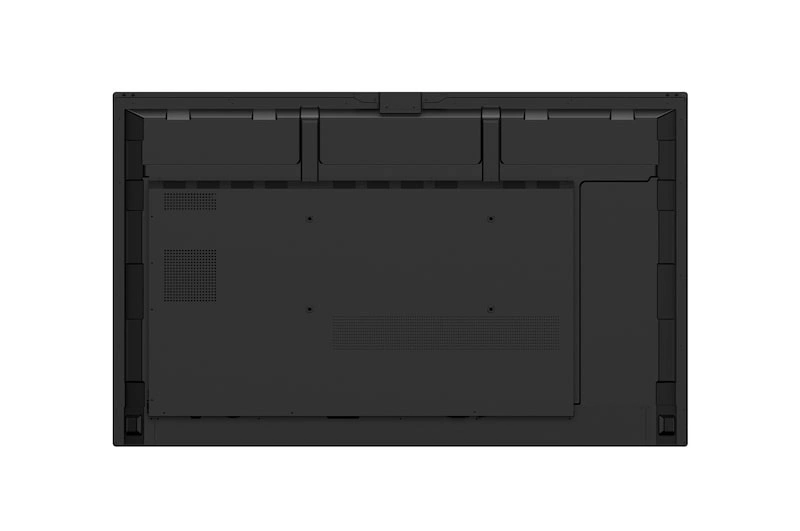
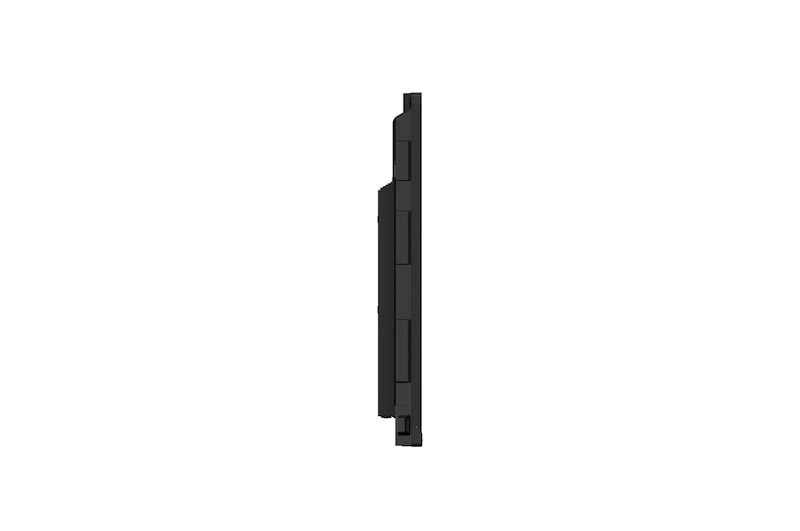
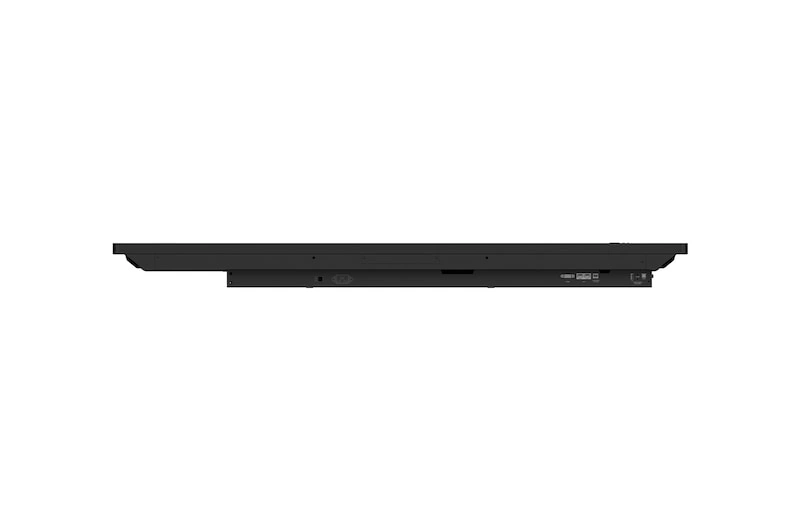
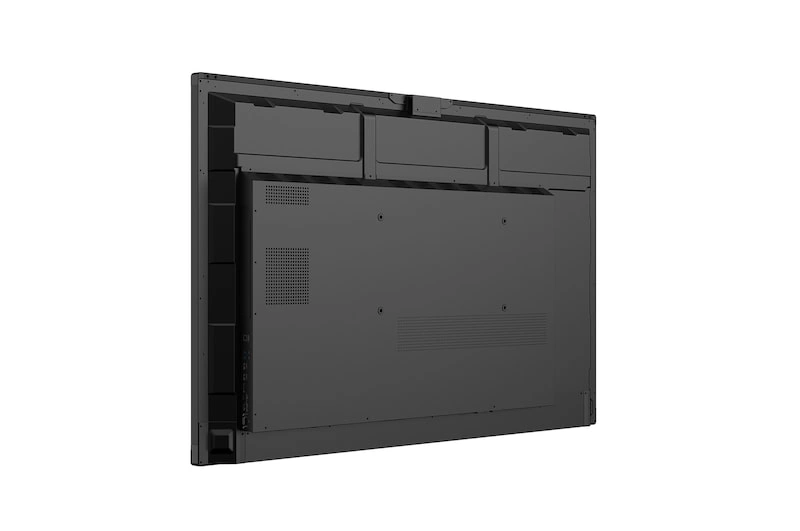
#TR3DQ-B
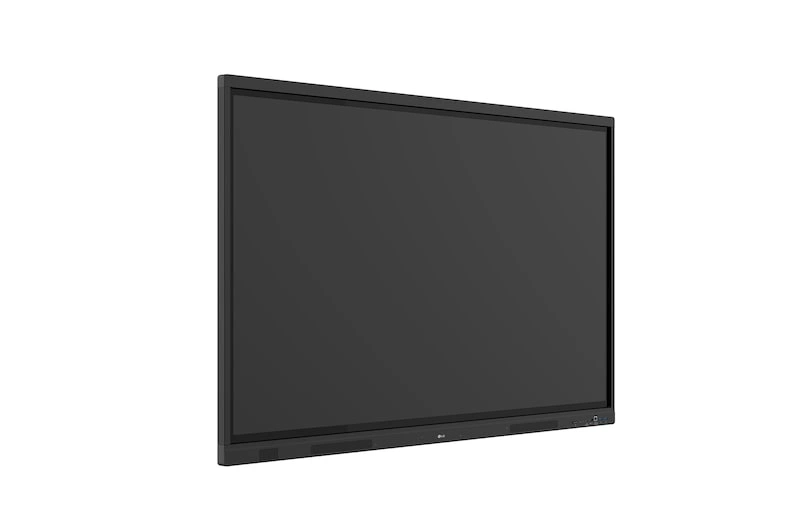
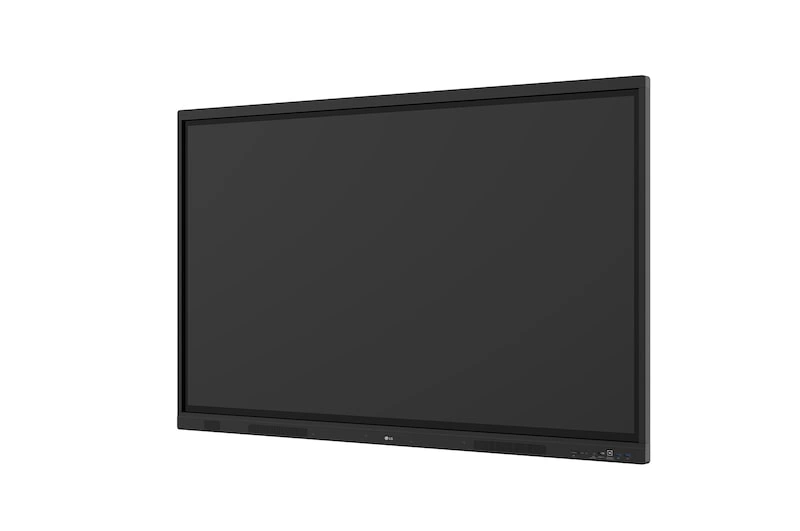
LG 75" - 86" CreateBoard Standard (TR3DQ-B)
- Resolution : 3,840 × 2,160 (UHD)
- Brightness : 400 nit (Typ.)
- Multi-Touch Point : Max. 50 Points
- OS Ver. : Andorid 14 (EDLA)
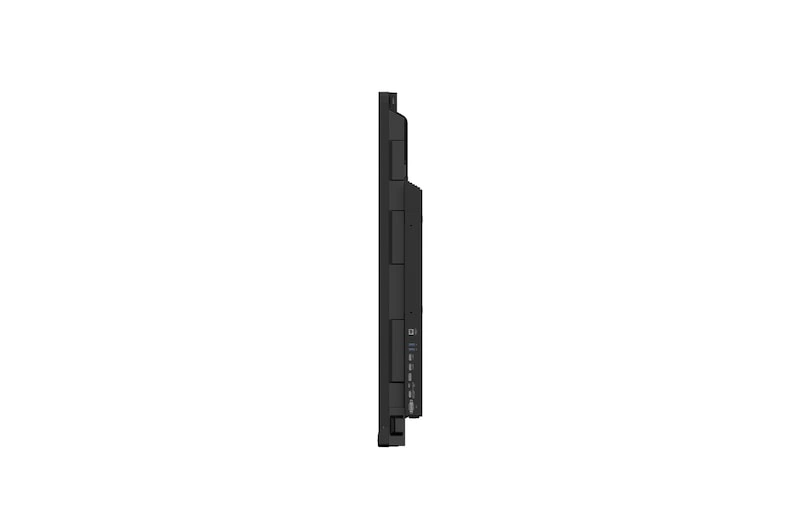
- Interface (Input) : HDMI (3), DP, RGB (VGA), Audio, RS-232C, RJ45 (LAN), USB Type-C (2), USB 3.0 Type-A (5), USB 2.0 Type-A
- Interface (Output) : HDMI Out, Audio Out, Touch USB (3), RJ45 (LAN)
Our Price: Request a Quote
Our Price: Request a Quote
Click here to jump to more pricing!
Please Note: All Prices are Inclusive of GST
Overview:
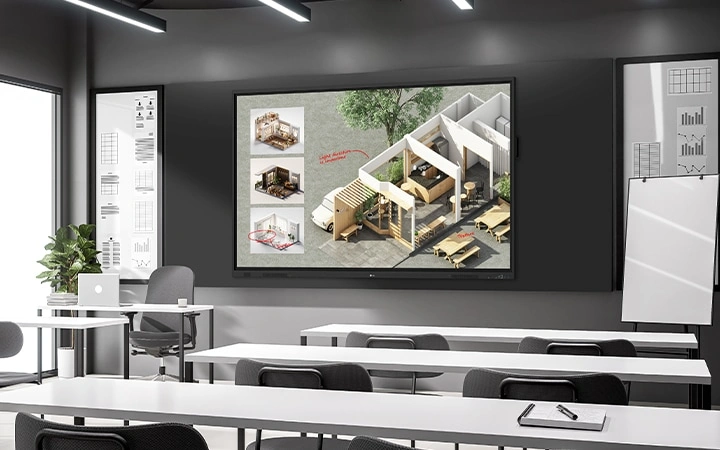
Innovate, Collaborate, and Create with Seamless Technology, LG CreateBoard
 * All images are for illustrative purposes only.
Features:
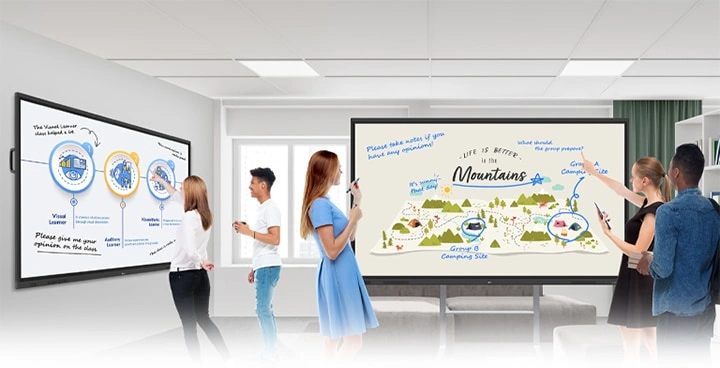
Creative Whiteboard Solution
LG CreateBoard offers a lifelike touch experience, allowing users to interact with content directly on the board. You can write, draw, zoom, and rotate using just your fingers, making it an effective tool for creative projects or presentations. Additionally, LG CreateBoard enables screen and content sharing, making it an excellent tool for seamless collaboration even with remote team members.
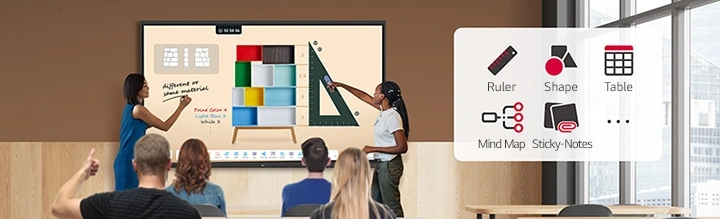
Various Teaching Templates
LG CreateBoard offers a variety of educational templates and tools such as a ruler, table, and sticky note, fostering active student participation and facilitating intuitive lessons.
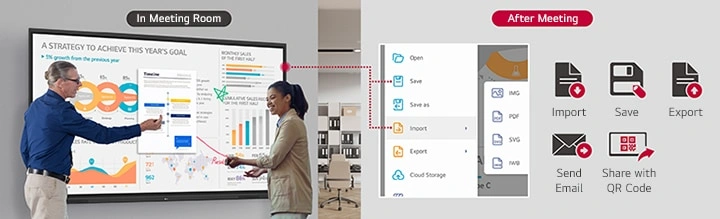
Easy to Save / Import / Export
LG CreateBoard incorporates straightforward import and export features. Resources can be saved and directly imported to and from Google Drive or OneDrive. After meetings, you can directly send emails to share materials, or scan a QR code to transfer them to your personal device.
LG CreateBoard Lab
LG’s proprietary whiteboarding software
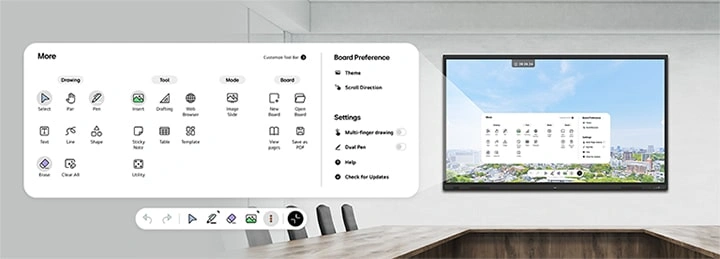
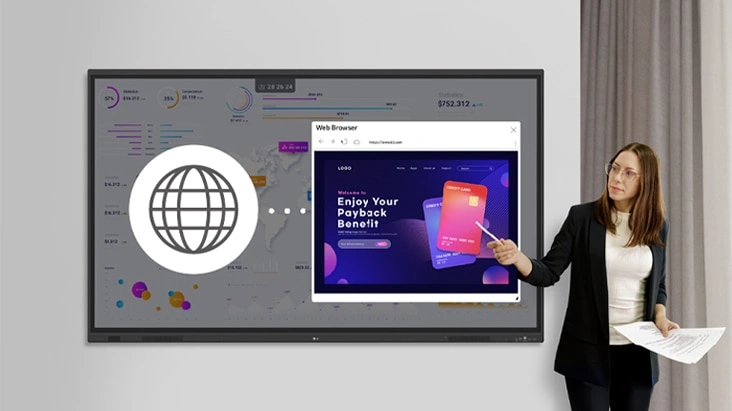 * Users can drag and drop text, images, links, etc.
Web Browser
When you need a reference during a discussion, you can access various online information in real time with the simple click of a web browser. The necessary information found on the internet can be easily dragged and dropped into the material you’re creating, enhancing the productivity of your meetings.
Multi-OS Support
LG CreateBoard Lab offers multi-OS support, allowing users to utilize it not only with LG CreateBoard but also with other devices. This enables users to maintain a seamless experience on tablets, laptops, and various other devices, even outside the classroom.
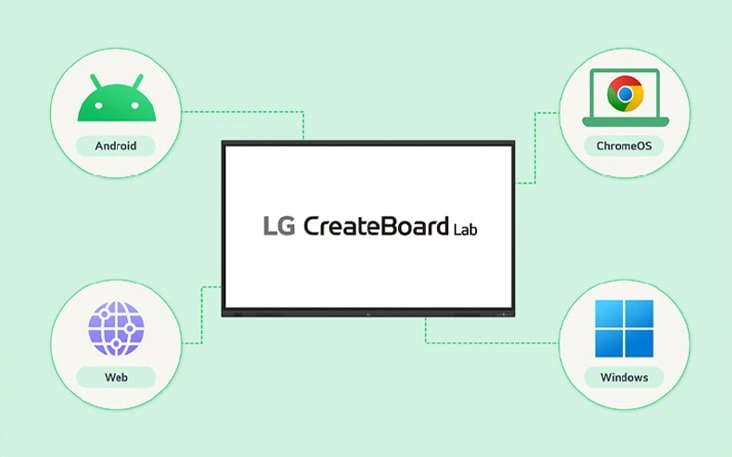 * Certain features may not be supported depending on the operating system.
 * LG CreateBoard Lab is compatible with Android, Windows, Chrome, and the Web.
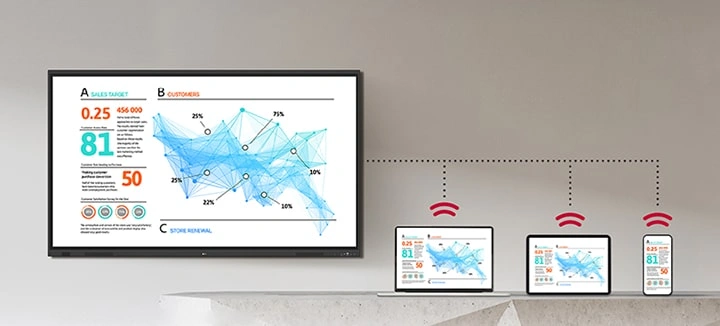 * LG CreateBoard also supports app-less sharing for PC, tablet, or smartphone (via website) within the same network.
 * For a more stable connection, we recommend the installation of a dedicated app (LG CreateBoard Share).
* LG CreateBoard Share app is compatible with Android 5.1 and higher, iOS 12.0 and higher, and MacOS 11.0 and higher.
LG CreateBoard Share
LG CreateBoard Share offers a wireless screen sharing feature, providing users with a flexible discussion environment. Users can share their screen from their own PC, tablet, or smartphone, simplifying the process of sharing and collaborating on team projects or presentation materials.
Wireless ScreenShare Feature for Seamless Meeting Environment
LG CreateBoard Share establishes a seamless and stable meeting room without the need for extra cables or connections. Presenters can now share their screens without the need to inconveniently move around and unplug and plug cables each time the presenter changes. With the capability to share up to 9 screens in real-time, it’s possible to display multiple people’s materials simultaneously when needed, thereby enhancing the efficiency of collaboration.
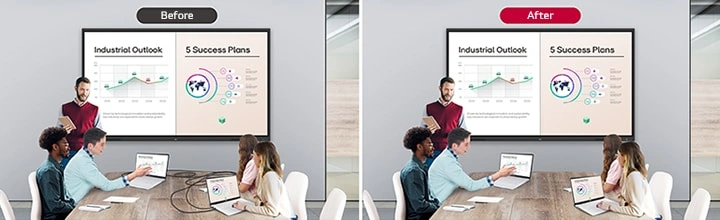
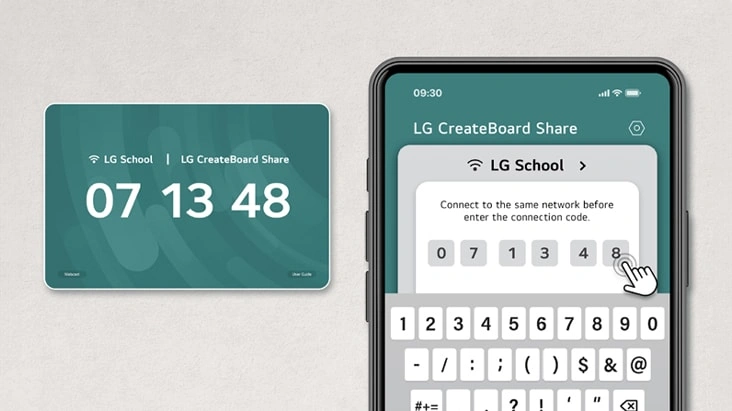
Simple Connection to LG CreateBoard Share
Users can easily utilize the wireless screen sharing feature via LG CreateBoard Share app, and even without the app, they can still conveniently access this feature through the website. A quick connection to LG CreateBoard Share can be established by entering a 6-digit code.
Presentation Convenience and Flexibility in Meeting Room
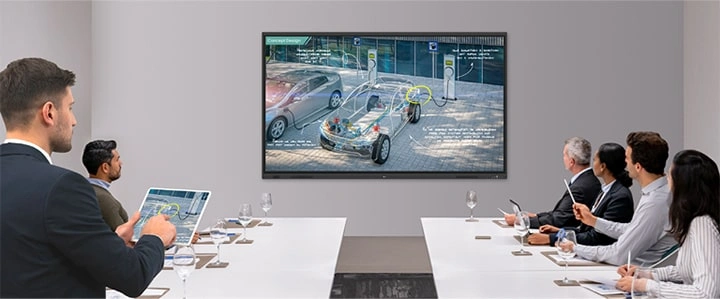
Wireless screen sharing empowers presenters to navigate freely within a meeting room, unencumbered by cables. This feature enables them to seamlessly control their presentations directly from their own devices. In addition, they can conveniently send photos and videos stored on their personal devices, enhancing the fluidity and richness of their presentations.
Presentation Convenience and Flexibility in Classroom
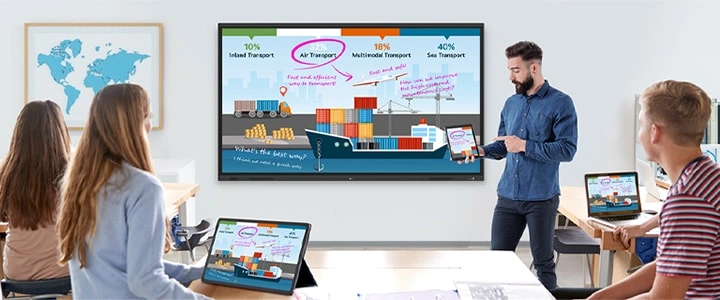
In the classroom, the lecturer or presenter doesn’t need to conduct the lesson near the LG CreateBoard, but can flexibly conduct the lesson from anywhere in the classroom. This promotes a more flexible classroom environment and can help keep students more focused.
Secure Mode
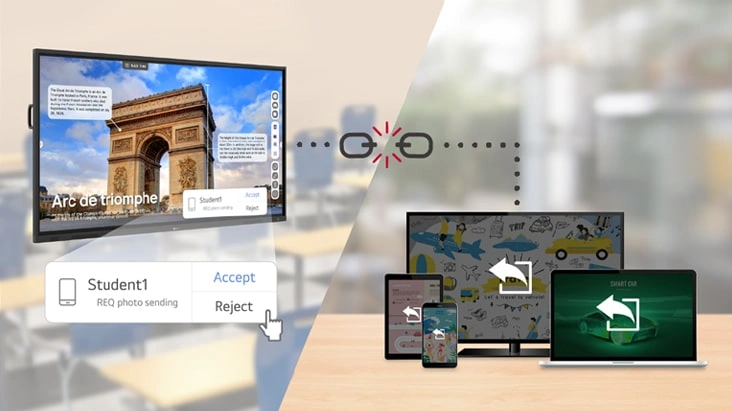
LG CreateBoard Share supports Secure Mode, which allows users to grant permissions for sharing. Secure Mode prevents unauthorized users from sharing their screen.
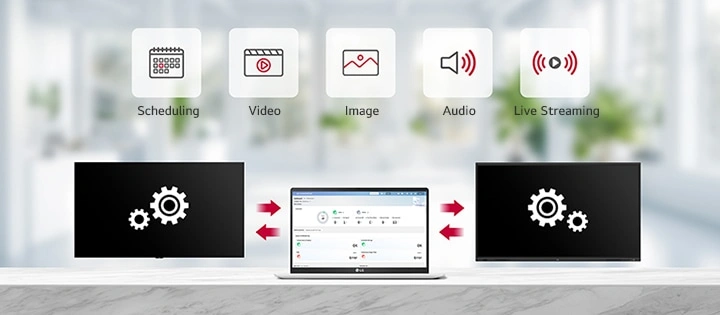 * ‘LG ConnectedCare’ needs to be purchased separately.
 * The availability of the ‘LG ConnectedCare’ service differs by region, so please contact the LG sales representative in your region for more details.
LG ConnectedCare
LG ConnectedCare is a cloud solution for remotely monitoring, controlling, and managing the status of LG CreateBoard and LG signage displays. This feature enables IT managers to operate and manage important resources on operating devices without physically visiting sites.
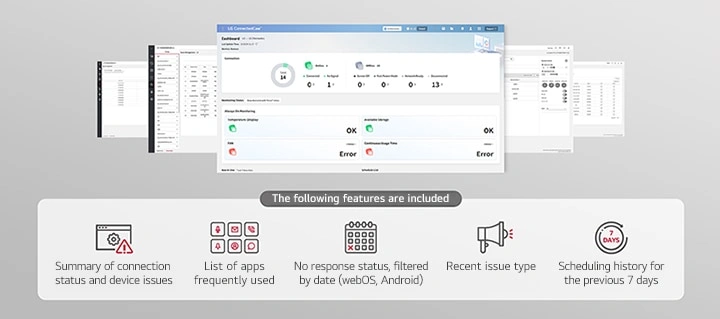
Dashboard
The LG ConnectedCare dashboard allows you to view and monitor multiple devices at the same time, thereby saving time and boosting efficiency.
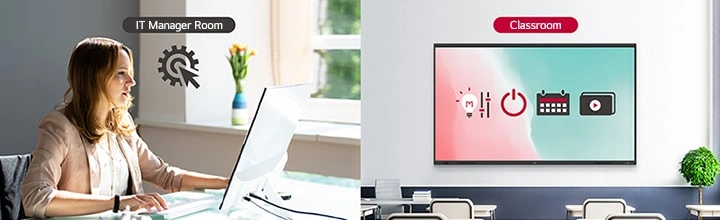
Remote-control
The LG ConnectedCare enables centralized and simple control of digital signage connected to the system. Frequently used functions such as power on/off, scheduling and screen brightness adjustment can be applied remotely
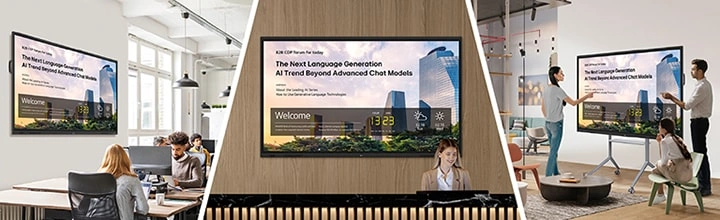
Broadcasting
Messages and a range of other content can be sent from the main system to individual devices connected to LG ConnectedCare. Company events or announcements can be broadcasted remotely from the cental system at once.
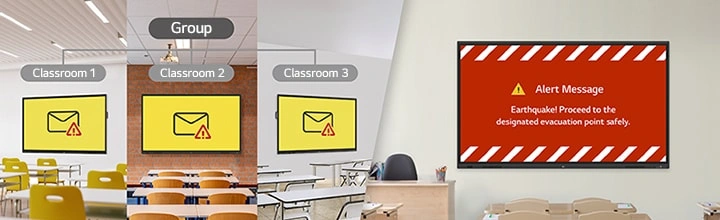
Alert Message
In case of urgent occasions such as a fire or a natural disaster, alert messages can be distributed manually across the system, which help teachers and students to swiftly perceive the situation and promptly take safety action.
Google Certification
LG CreateBoard has received Google certification, enabling users to seamlessly integrate with the Google ecosystem by connecting their Google accounts.
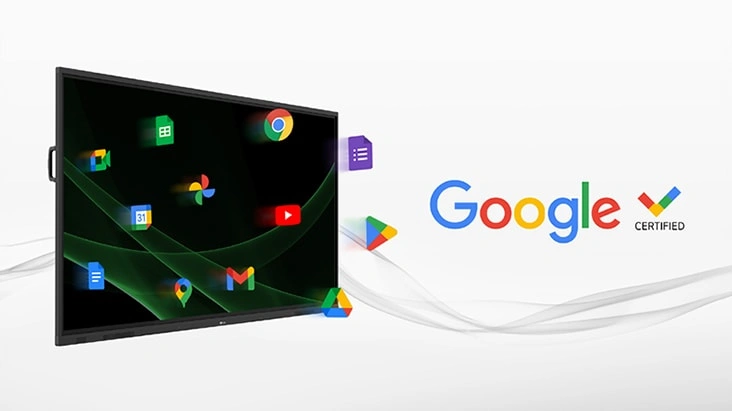 * Exceptions apply in countries without Google services.
 * A Google account is required to access the Google ecosystem.
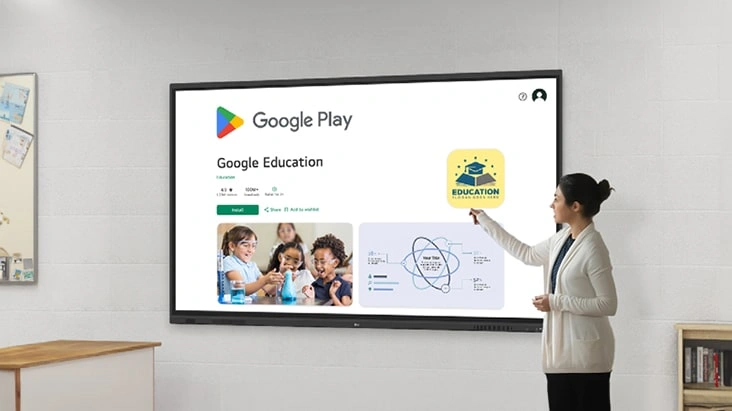 * Exceptions apply in countries without Google services.
 * A Google account is required to access the Google Play Store.
Google Play Store
Users have access to the Google Play Store, where they can download a wide range of applications, including educationrelated games, tools, and more for an expanded experience.
Screen Lock
Users can lock the screen using the Screen Lock function, and unlock it by entering a password. This protective measure can be set up in the Settings menu, safeguarding the device from unauthorized access.
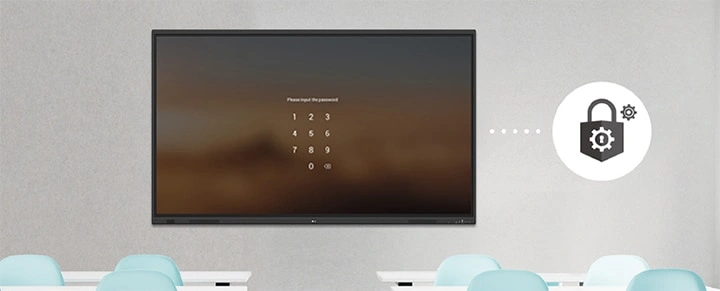
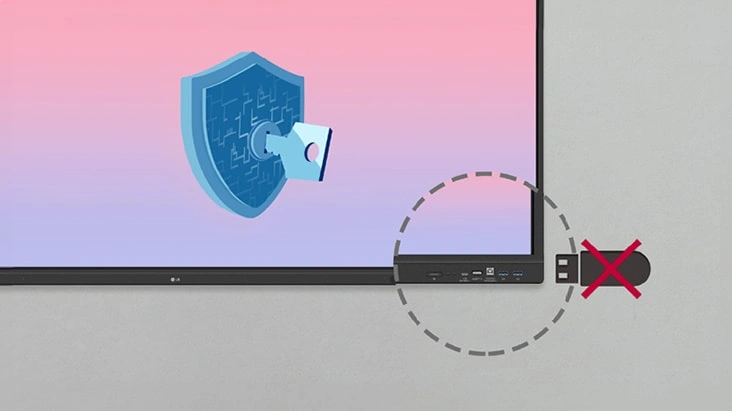
USB Lock Mode
USB Lock Mode is a security measure that helps prevent data from being copied to unauthorized devices, which is essential when being used in spaces where security is critical.
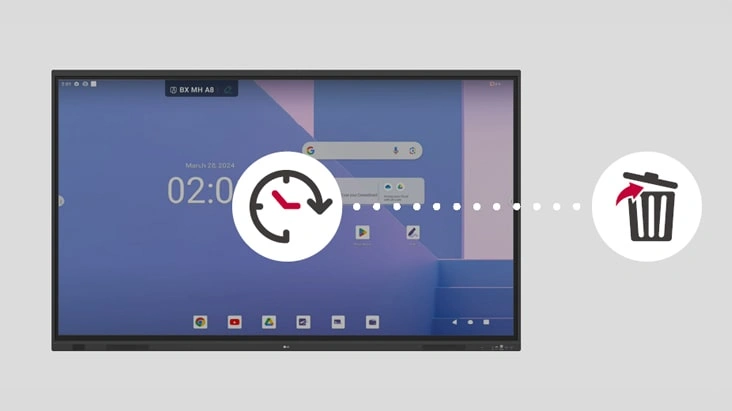
Auto-remove Files
Users can set LG CreateBoard to delete files regularly for enhanced security.
Multi-touch
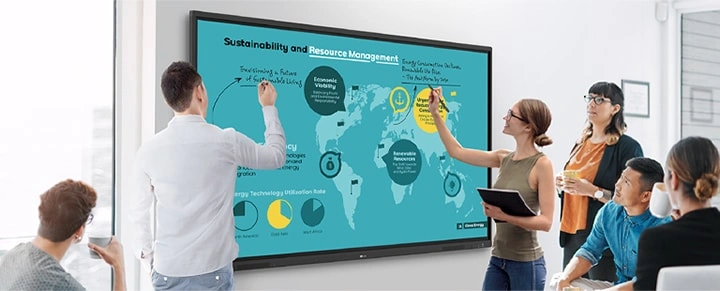
LG CreateBoard boasts a multi-touch functionality that can concurrently detect up to 50 touch points. This feature facilitates simultaneous touch and gesture inputs from multiple users, fostering easy collaboration and idea sharing among team members. This enables efficient interaction in group activities or meetings.
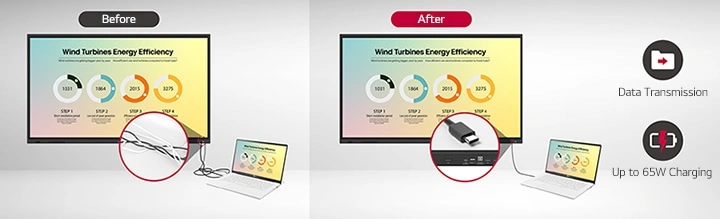
C-type Connection
USB-C connectivity simplifies connections which enables charging and sending data simultaneously over just one single cable.
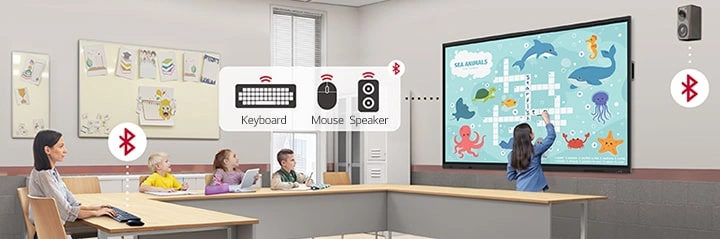
Bluetooth Connectivity
LG CreateBoard supports wireless Bluetooth connections to various devices such as a speaker, mouse, keyboard, etc. This is optimal for building a hybrid environment so that online and offline classes can proceed smoothly.
Front Connectivity Design
LG CreateBoard is designed with front display ports, making it easy for users to connect or disconnect cables.
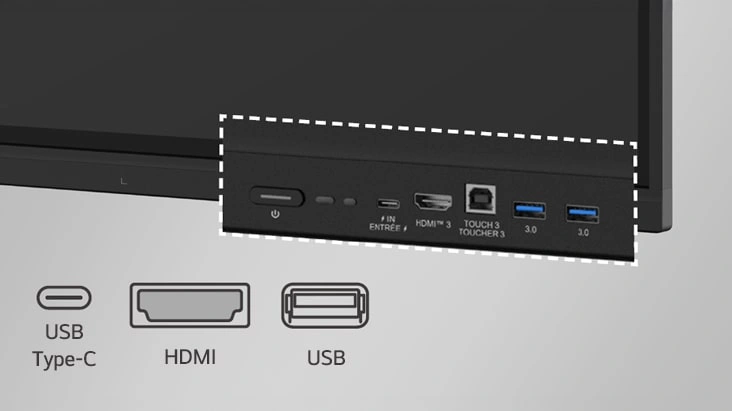 * Some ports including the power connector, are located on the side and back of the unit.
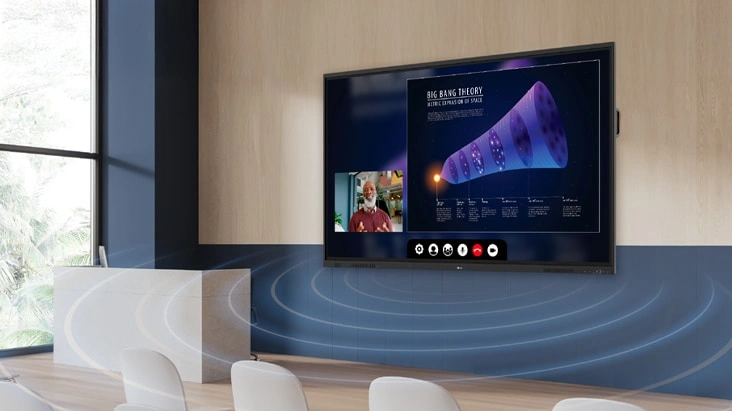
Front Speaker and Subwoofer
LG CreateBoard delivers audio clarity with powerful front-facing speakers and a dedicated subwoofer. LG CreateBoard provides reliable sound quality that supports effective communication and collaboration without the need for additional audio equipment.
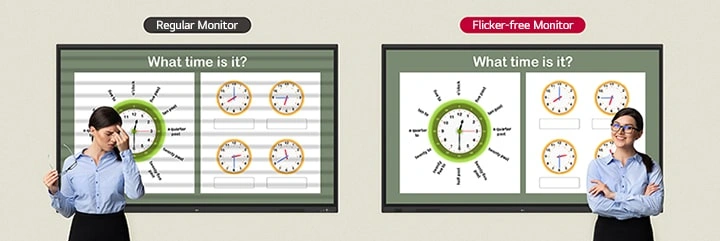
Advanced Eye-care
LG CreateBoard has introduced a flicker-free function. With the reduced flickering of the monitor’s backlight, users can use the device with more comfort even when using it for a long time.
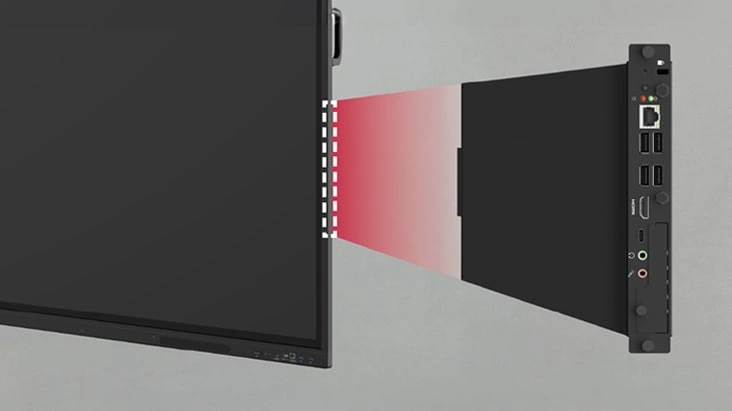 * OPS : Open Pluggable Specification
 * OPS slot is sold separately
Built-in OPS Slot
LG CreateBoard supports OPS slots, allowing users to conveniently mount OPS Module at the back of the screen without the hassle of connecting to an external desktop. This enables various PC functions and Windows software.
Multi-screen Mode
LG CreateBoard supports a multi-screen mode, allowing users to utilize multiple screens simultaneously. Users can take notes, play videos, and browse the web at the same time, thereby enhancing work efficiency.
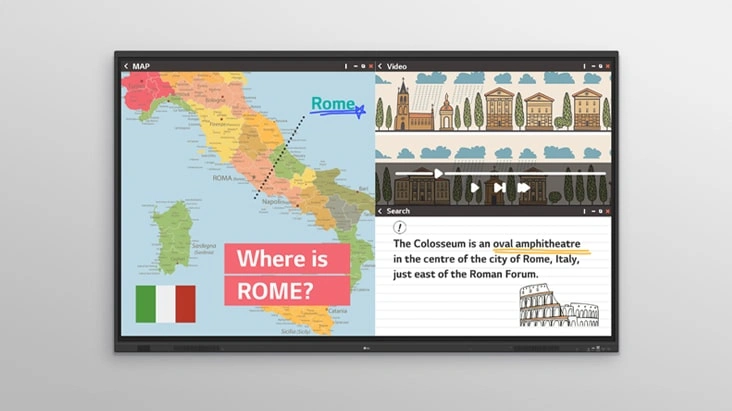 * Multi window mode may not work for some apps.
Specifications:
= value differs across sizes
| TR3DQ-B Specifications | 75" | 86" |
|---|---|---|
| Panel | ||
| Screen Size (Inch) | 75" | 86" |
| Back Light Type | Direct | Direct |
| Aspect Ratio | 16:9 | 16:9 |
| Native Resolution | 3840x2160 (UHD) | 3840x2160 (UHD) |
| Refresh Rate | 60Hz | 60Hz |
| Brightness | 400nit (typ.) | 400nit (typ.) |
| Contrast Ratio | 5500:1 | 1200:1 |
| Dynamic CR | 5000:1 | 5000:1 |
| Color Gamut | NTSC 72% | NTSC 72% |
| Viewing Angle (H x V) | 178 X 178 | 178 X 178 |
| Color Depth (Number of Colors) | 8bit+FRC, 1.07G | 8bit+FRC, 1.07G |
| Response Time | 6.5ms | 8ms |
| Surface Treatment (Haze) | 25% | 25% |
| Life time | 50,000 Hrs(L50, Min.) | 50,000 Hrs(L50, Min.) |
| Operation Hours (Hours/Day) | 16/7 | 16/7 |
| Portait / Landscape | No / Yes | No / Yes |
| Connectivity | ||
| HDMI In | Yes(3, Front1/Back2) | Yes(3, Front1/Back2) |
| DP In | Yes(1) | Yes(1) |
| RGB In | Yes(1, VGA) | Yes(1, VGA) |
| Audio In | Yes(1) | Yes(1) |
| RS232C In | Yes(1) | Yes(1) |
| RJ45(LAN) In | Yes(1) | Yes(1) |
| USB In | USB3.0 Type A(5) - Front2/Back2/Top1 USB2.0 Type A(1) USB Type-C(2, For the front 1, PD 65W without OPS/DP-Alt) - Front1/Back1 |
USB3.0 Type A(5) - Front2/Back2/Top1 USB2.0 Type A(1) USB Type-C(2, For the front 1, PD 65W without OPS/DP-Alt) - Front1/Back1 |
| HDMI Out | Yes(1) | Yes(1) |
| Audio Out | Yes(1), Optical Yes(1, SPDIF) | Yes(1), Optical Yes(1, SPDIF) |
| Touch USB | Yes(3, Front1/Back2) | Yes(3, Front1/Back2) |
| RJ45(LAN) Out | Yes(1) | Yes(1) |
| Mechanical Specification | ||
| Bezel Color | Black | Black |
| Bezel Width | T/R/L/B:25.6/15/15/43.5mm | T/R/L/B:25.6/15/15/43.5mm |
| Weight (Head) | 43.85Kg | 54.1Kg |
| Packed Weight | 57.3Kg | 70.7Kg |
| Monitor Dimensions (W x H x D) | 1709.4×1031.1×99.7mm | 1957×1170.8×99.7mm |
| Carton Dimensions (W x H x D) | 1863×1155×225mm | 2110×1291×225mm |
| Handle | Yes | Yes |
| VESA Standard Mount Interface | 800x400mm | 800x600mm |
| Protection Glass | ||
| Thickness | Thickness | 3.2 |
| Tempered / Chemical strengthening | Yes | Yes |
| Anti-Reflective | Yes | Yes |
| Shatter-Proof | Yes | Yes |
| Feature - Hardware | ||
| Internal Memory (eMMC) | 64GB | 64GB |
| Wi-Fi/BT (Built-in) | Yes (Slot type) | Yes (Slot type) |
| Auto Brightness Sensor | Yes | Yes |
| Power Indicator | Yes | Yes |
| Local Key Operation | Yes | Yes |
| Feature - Software | ||
| OS Ver. (webOS) | Android14(EDLA) | Android14(EDLA) |
| Booting Logo Image | Yes | Yes |
| RS232C Sync | Yes (LG RS232C Command) | Yes (LG RS232C Command) |
| PIP | Yes(1) external source | Yes(1) external source |
| PBP | Yes(4) | Yes(4) |
| Screen Share | Yes (CreateBoard Share) | Yes (CreateBoard Share) |
| Setting Data Cloning | Yes | Yes |
| Crestron Connected | Yes | Yes |
| Smart Energy Saving | Yes (Energy Saving) | Yes (Energy Saving) |
| Wake on LAN | Yes | Yes |
| Network Ready | Yes (Fast Power On) | Yes (Fast Power On) |
| HDMI-CEC | Yes | Yes |
| webRTC | Yes(CreateBoard Share website mirr used WebRTC) | Yes(CreateBoard Share website mirr used WebRTC) |
| Environment Conditions | ||
| Operation Temperature | 0℃ to 40℃ | 0℃ to 40℃ |
| Operation Humidity | 10% to 90% | 10% to 90% |
| Power | ||
| Power Supply | AC 100-240V~, 50/60Hz | AC 100-240V~, 50/60Hz |
| Power Type | Built-In Power | Built-In Power |
| Power Consumption | ||
| Typ. | 175W(measured:160W) | 235W(measured:215W) |
| Max. | 365W(measured:335W) | 400W(measured:370W) |
| BTU (British Thermal Unit) | TBD | TBD |
| Smart Energy Saving (70%) | Yes | Yes |
| DPM | Yes | Yes |
| Power off | <0.5W | <0.5W |
| Sound | ||
| Speaker (Built-in) | speaker:Yes (20Wx2 + 20W) output:Yes (18Wx2 + 18W) |
speaker:Yes (20Wx2 + 20W) output:Yes (18Wx2 + 18W) |
| Certification | ||
| Safety | IEC 62368-1:2018; UL 62368-1:2019 | IEC 62368-1:2018; UL 62368-1:2019 |
| EMC | FCC Class "A" / CE / KC | FCC Class "A" / CE / KC |
| ERP / Energy Star | Yes / Yes | Yes / Yes |
| ePEAT(US only) | Yes(Bronze) | O(Bronze) |
| OPS Compatibility | ||
| OPS Power Built-in | Yes | Yes |
| OPS Type compatible | Yes(Slot) | Yes(Slot) |
| Software Compatibility | ||
| Connected Care | Yes | Yes |
| Language | ||
| OSD | English, Simplified Chinese, Czech, Denmark, Arabic(Egypt), Finnish, French, German, Greek, Italian, Korean, Netherlands(Dutch), Norwegian, Polski, Portugues(Europe), Portugues(Brazil), Romanian, Russian, Spanish, Swedish, Türkçe, Ukrainian, Traditional Chinese, Hungarian, Thai, Indonesian, Kazakh, Catalan, Basque, Japanese, Estonian, Lithunian | |
| Accessory | ||
| Basic | Power Cord 3 M*1, USB Cable(Type A-Type B) 5 M*1, USB Type-C Cable(C to C) 1.8 M*1, HDMI Cable 3 M*1, Writing Pen*2pcs, User Manual, QSG, Carton Box, Remote Controller(include battery 2ea), Wifi module | |
| Optional | WIB9060H | |
| Special Feature | ||
| Overlay Touch Compatibility | Yes | Yes |
| Conformal Coating (Power Board) | Yes | Yes |
| Power Protection | Yes | Yes |
| Dedicated Feature - Touch | ||
| Available Object Size for Touch | Ø2 mm ↑ | Ø2 mm ↑ |
| Response Time ('Paint' app on Windows 10 PC) | 5ms ↓ | 5ms ↓ |
| Accuracy (Typ.) | ±1mm | ±1mm |
| Interface | USB2.0 | USB2.0 |
| Protection Glass Thickness | 3.2mm (Anti-Glare) | 3.2mm (Anti-Glare) |
| Protection Glass Transmission | 88% (Typ.) | 88% (Typ.) |
| Operating System Support | Windows 10/ Windows 8/ Windows 7/ Android/ Linux/ macOS (Linux/ macOS 1 Point) |
|
| Multi Touch Point | Max 50 Point | Max 50 Point |
| Dedicated Feature - Create Board | ||
| CPU | Octa core A73x4 +A53x4 (A311D2) | Octa core A73x4 +A53x4 (A311D2) |
| GPU | Mali-G52 MP8 | Mali-G52 MP8 |
| Memory(RAM) | 8GB | 8GB |
| Storage | 64GB | 64GB |
| Wi-Fi | WiFi 6E | WiFi 6E |
| LAN | Gigabit LAN | Gigabit LAN |
| Bluetooth | Bluetooth 5.3 | Bluetooth 5.3 |
| OS ver. (Android) | Android 14(EDLA) | Android 14(EDLA) |
Pricing Notes:
- All Prices are Inclusive of GST
- Pricing and product availability subject to change without notice.
Custom Configurations
Looking for more configuration options or custom setups? Our team can help you find the right solution based on your requirements.
Contact UsBulk Purchase Support
Need multiple devices for your business or project? Contact us to discuss bulk pricing, availability, and delivery options.
Contact UsOur Price: Request a Quote
Our Price: Request a Quote